HVAC Control Systems Integration: Smart Building Solutions for North Texas
HVAC control systems and smart building automation for North Texas. Intelligent controls setup for optimal performance and efficiency.
- The Evolution of HVAC Control Systems
- North Texas Control System Requirements
- Advanced Control System Technologies
- Smart Building Integration Technologies
- Energy Management and Optimization
- Implementation and Integration Procedures
- Regional Integration Considerations
- Cost-Benefit Analysis and ROI
+ 6 more sections below...
- The Evolution of HVAC Control Systems
- North Texas Control System Requirements
- Advanced Control System Technologies
- Smart Building Integration Technologies
- Energy Management and Optimization
- Implementation and Integration Procedures
- Regional Integration Considerations
- Cost-Benefit Analysis and ROI
+ 6 more sections below...
HVAC control systems integration in North Texas costs $1,000-$5,000 for residential smart home setups and $5,000-$100,000+ for commercial building automation, with most people seeing ROI in 2-4 years through 25-35% energy savings. You get occupancy-based control, weather forecast integration, demand response for managing peak electric rates, and predictive maintenance that catches problems before they get expensive. I did a controls integration job for a Plano office building last month. Took three days. Their energy bill dropped from $4,200 to $2,800 a month. The main protocols you’ll run into are BACnet (the building automation standard), Modbus (for industrial equipment), and IP-based systems for remote monitoring.
The Evolution of HVAC Control Systems
I’ll be honest: when I started in this business, “control systems” meant a mercury thermostat on the wall and a guy who walked around the building adjusting things. That was it. Now I’m programming BACnet controllers and setting up cloud dashboards on my phone. The change has been wild.
Last week I was in a Plano office building connecting their old HVAC equipment to a modern building automation system. They were spending $4,200 a month on energy and the office manager told me she got comfort complaints almost daily. Half the building was freezing, the other half was roasting. Classic. After three days of wiring controllers, mounting sensors, and programming sequences, their costs dropped to $2,800 a month. The system now reads occupancy, checks weather forecasts, and adjusts itself based on utility rates. What looked like equipment that needed replacing turned out to just need a brain.
That’s what control integration really is. You’re giving dumb equipment a brain.
This guide covers how we approach control system integration for North Texas buildings, what the technology looks like in 2026, and where it actually makes sense to invest (because sometimes it doesn’t).
North Texas Control System Requirements
Our climate makes controls work harder than in most parts of the country. Here’s what we’re dealing with.
Temperature swings are the big one. I’ve seen mornings start at 38 degrees and hit 82 by afternoon. Your controls need to flip from heating to cooling mode without hunting back and forth and wasting energy. Most basic thermostats handle this poorly. Peak demand management matters a lot during summer. Demand charges on commercial electric bills can run 40% of the total during July and August. If your system can automatically shed load during peak windows, that alone can justify the cost of integration. Weather-responsive pre-conditioning is huge here too. If the system knows a cold front is coming tonight, it can pre-heat the building while rates are low instead of scrambling to catch up at 7 AM when everyone walks in. Multi-zone coordination gets complicated in commercial buildings. You’ve got conference rooms that need cooling for an hour, then sit empty the rest of the day. Server rooms that need cooling year-round. Lobby areas with glass walls that swing 20 degrees depending on sun angle. And emergency response. When we get those spring storms and power flickers, the system needs to protect equipment and restart gracefully. I’ve seen compressors burn out from rapid cycling during storm brownouts because there was no restart delay programmed.
The tricky part of integration is usually the existing infrastructure. Old buildings have equipment from three different decades made by four different manufacturers, none of which were designed to talk to each other. You end up doing creative things with protocol converters and gateway devices. It’s not always pretty, but it works.
Advanced Control System Technologies
Building Automation System (BAS) Integration
Full Building Automation:
1. Central Control Platform
Think of a BAS like the nervous system of a building. There’s a central processor running the optimization algorithms, figuring out the best way to run everything based on weather, occupancy, energy rates, and equipment health. Then you’ve got distributed controllers throughout the building (usually one per mechanical room or floor) that handle local decisions but report back to the central system. The whole thing connects over a building network, and operators interact with it through a web interface or mobile app.
I had a property manager in McKinney who was skeptical about the dashboard. “I don’t want to stare at a computer screen,” he told me. Six months later he’s checking his building from his fishing boat at Lake Texoma, adjusting setpoints because he noticed energy usage was higher than normal on a Saturday. The remote access sold itself.
2. System Integration Capabilities
A good BAS ties together more than just HVAC. You can integrate heating, cooling, and ventilation obviously, but also lighting controls, security (so the HVAC ramps down when the security system goes into “unoccupied” mode), and fire safety (the system provides smoke evacuation and pressurization during fire events). Energy management features like demand monitoring and load shedding run in the background constantly.
Smart Thermostat and Zone Control Integration
Learn more about our professional Smart Thermostat services.
Advanced Zone Control Systems:
1. Multi-Zone Control Architecture
Most commercial buildings need zone control that goes beyond what a basic thermostat can handle. A proper zone system has a central controller coordinating all the zones, with individual sensors in each area measuring temperature, humidity, and whether anyone’s actually in the room. Motorized dampers control airflow to each zone based on what it actually needs right now, not what the schedule says it should need. Paired with variable speed fan motors, the whole system modulates together instead of just blasting air and closing dampers.
2. Occupancy-Based Control
This is where the real savings come from. I did a dental office in Frisco where they had six operatory rooms but only used four on most days. Before occupancy controls, all six rooms were conditioned all day. After we put in occupancy sensors and tied them to the zone dampers, they’re only conditioning rooms that are actually in use. The system learns the schedule over time too. It knows Tuesday afternoons are slow, so it starts pulling back earlier.
Demand-controlled ventilation is another big win. Instead of bringing in the same amount of outside air all day (which has to be cooled from 100+ degrees in summer), the system adjusts fresh air based on actual CO2 levels and occupancy. You’re only paying to condition the outside air you actually need.
Variable Speed System Integration
Motor Control Integration:
1. Variable Frequency Drive (VFD) Integration
VFDs are one of the best upgrades you can make in a commercial building. Period. A constant-speed motor runs at 100% whether you need 100% or 30%. A VFD lets you dial it down. And here’s the thing people don’t realize: running a fan at 50% speed uses about 12% of the energy of running it at full speed. Not 50%. Twelve percent. (It’s the cube law. Motor energy drops with the cube of the speed reduction.)
When you integrate VFDs into a building automation system, the central controller coordinates all the motors so they’re working together. Soft start capabilities reduce the electrical hit and mechanical stress during startup. The system tracks energy on each motor individually, so you can spot when one starts using more power than it should (usually a bearing going bad or a belt slipping).
2. Staged Equipment Coordination
Most commercial buildings have multiple stages of heating and cooling. Getting those stages to work together efficiently is harder than it sounds. You want to load-balance so one unit isn’t running 90% while another sits idle (that kills the busy one faster). You want each unit operating near its sweet spot for efficiency. And you want smooth transitions between stages so occupants don’t feel the system cycling.
Smart Building Integration Technologies
Internet of Things (IoT) Integration
IoT-Enabled HVAC Control:
1. Sensor Network Integration
Wireless sensors changed the game for retrofits. Running wires through an existing building is expensive and disruptive. Now we can put battery-powered temperature, humidity, air quality, and occupancy sensors wherever we need them. They talk to a gateway over wireless mesh networks and feed data into the BAS.
Equipment monitoring sensors are worth their weight in gold for predictive maintenance. Vibration sensors on motors, current sensors on compressors, pressure sensors on refrigerant lines. The data feeds into analytics that spot problems before they become failures. I caught a compressor pulling high amps two weeks before it would have locked up. Saved the customer about $4,000 in emergency repair costs and a day without cooling in August.
2. Machine Learning and AI Integration
I’ll say this carefully because “AI” gets thrown around too much in our industry. What’s actually useful right now is pattern recognition. The system learns that this building needs to start pre-cooling at 5:30 AM on summer Mondays (because it’s been unoccupied all weekend and the thermal mass soaked up heat), but only 6:15 AM on summer Tuesdays (because it was conditioned yesterday). That kind of adaptive learning saves real energy without anyone thinking about it.
Weather forecast integration is practical AI. The system pulls forecast data and adjusts its strategy. Storm coming with a 20-degree temperature drop? Start preparing now instead of reacting later. Utility rate integration for demand response programs is another real-world win. The system knows when peak rates kick in and automatically reduces load.
Communication and Network Integration
Communication Infrastructure:
1. Network Architecture Design
The network is the backbone. If it’s unreliable, nothing else matters. Commercial BAS installations typically run on a dedicated Ethernet backbone connecting the major controllers, with wireless extending to distributed sensors and remote equipment. We always install redundant communication paths on critical systems. If the primary network goes down, the backup keeps things running.
Network security is something I take more seriously every year. These systems connect to the internet for remote access, which means they’re potential entry points. Encrypted communications, strong passwords, regular firmware updates. I’ve seen buildings where the BAS password was still the factory default. That’s asking for trouble.
2. Protocol Integration and Standards
Here’s where it gets technical. BACnet is the standard for building automation. If you’re buying new equipment, make sure it speaks BACnet. Modbus is common on industrial equipment and older commercial gear. LonWorks shows up in legacy systems from the 90s and early 2000s. Modern systems are moving toward IP-based protocols that run over standard Ethernet. And then you’ve got wireless protocols like Zigbee for sensor networks.
The integration challenge is getting all these protocols to talk to each other. That’s what protocol gateways and converters do. Not glamorous work, but it’s where a lot of the skill and experience comes in.
Energy Management and Optimization
Energy Management Systems:
1. Real-Time Energy Monitoring
You can’t manage what you don’t measure. Real-time monitoring tracks power consumption on individual equipment. This does two things: it lets you see where energy is being wasted right now, and it builds a history so you can spot trends. If your rooftop unit started using 15% more energy over the last three months, something’s wrong. Dirty coils, low refrigerant, a failing motor. Catch it early, fix it cheap.
Demand forecasting is critical for managing peak charges. The system predicts when you’re going to hit your peak demand for the billing period and automatically sheds load to keep it down. One Plano office building I work with saves about $600 a month just on demand charge management. The system automatically cycles non-critical loads during the 2-6 PM peak window.
2. Performance Analytics and Optimization
Continuous commissioning is a fancy term for “the system keeps tuning itself.” In practice, it means the BAS runs fault detection routines that catch things like a damper that’s stuck open, a sensor that’s reading wrong, or a sequence that isn’t performing as designed. Performance benchmarking compares actual operation to what the system should be doing and flags the gaps.
Long-term trend analysis is where you find the slow degradation that nobody notices. Equipment efficiency drops 2-3% a year without maintenance. Multiply that across ten rooftop units over five years and you’re paying 15% more than you should be. The analytics make it visible.
Implementation and Integration Procedures
Phase 1: Assessment and Design (40-80 hours)
System Assessment:
1. Existing System Analysis
Every integration project starts with understanding what’s already there. What controls exist? What shape are they in? What communication protocols does the existing equipment support? A lot of older equipment has control capabilities that were never configured or connected. I’ve found Trane units with BACnet cards installed at the factory that nobody ever wired up. Free capability just sitting there.
We also baseline current performance. What are you spending on energy? Where are the comfort complaints? What breaks most often? You need these numbers to prove the integration actually helped after it’s done.
2. Integration Design and Planning
Once we know what we’re working with, we design the system architecture. Which controllers go where, what network runs between them, how the sensors and actuators connect. Equipment selection matters a lot here. You want controllers that match the existing equipment and have room to grow. Control logic design is the algorithms that will actually run the building. User interface design determines how the building operators interact with the system.
I always push for simple interfaces. If the building engineer can’t figure out how to change a setpoint without calling me, I designed it wrong.
Phase 2: Infrastructure Installation (60-120 hours)
Network and Communication Installation:
1. Physical Infrastructure Installation
This is the construction phase. Running Ethernet cable, mounting control panels, installing sensors. We put temperature and humidity sensors in representative locations (not right next to a supply air vent or in direct sunlight, which I’ve seen other companies do). Occupancy sensors go where they can actually detect people. Damper motors and valve actuators get installed on the equipment they’ll control.
The physical installation on a medium commercial building usually takes two to three weeks. We try to do most of it after hours to minimize disruption, but some work has to happen during business hours when we’re connecting to live equipment.
2. Equipment Integration and Connection
Once the hardware is in, we connect everything to the network and start testing. Every sensor gets calibrated against a reference instrument. Every actuator gets stroke-tested to make sure it moves through its full range. Every controller gets verified on the network. Methodical and boring, but skipping these steps means problems later.
Full system communication testing comes last. We verify that every point communicates reliably from the sensor all the way up to the operator workstation.
Phase 3: Programming and Configuration (80-160 hours)
Control Programming:
1. Control Logic Development
This is where the hardware becomes intelligent. We program the sequences that control how equipment starts up, runs, and shuts down. Safety interlocks that prevent dangerous operating conditions (like running a fan without the fire damper open). Energy optimization routines that continuously adjust operation. Scheduling that follows occupancy patterns. Alarm programming so operators know immediately when something goes wrong.
Good programming takes time. I’ve seen guys rush through it to finish a project and leave the customer with a system that technically works but wastes energy because the sequences aren’t tuned. We spend the time to get it right.
2. User Interface Development
The operator interface needs to show the right information without overwhelming people. Floor plans with live data overlays, trend graphs, alarm summaries. Mobile access so building managers can check things from their phone. Automated reports that go out weekly or monthly.
We set up tiered access so the building engineer can change schedules and setpoints, the property manager can view reports and trends, and we can access the full programming when needed for support.
Phase 4: Testing and Commissioning (40-80 hours)
System Testing:
1. Functional Testing
We test every single point in the system. Every sensor, every actuator, every control sequence, every safety interlock. This takes time and it’s tedious, but it’s how you find the sensor that’s reading 3 degrees off, or the damper that only opens 80% because the linkage is binding.
Safety system testing is non-negotiable. We verify that emergency shutdown sequences work, that fire safety integration functions correctly, that power failure recovery operates as designed. Then we test communication reliability under load. Not just “does it work” but “does it work reliably when everything is talking at once.”
2. Performance Verification
After everything passes functional testing, we verify performance against the project goals. Are we hitting the energy efficiency targets? Is temperature control within spec? How fast does the system respond to changes? We run load tests under different conditions (morning warm-up, afternoon peak cooling, partial occupancy) to make sure everything performs.
All of this gets documented. The customer gets a complete set of as-built drawings, sequence descriptions, point lists, and operating manuals. Good documentation is what separates a professional integration from a hack job.
Regional Integration Considerations
Dallas-Fort Worth Metro Integration
Urban Environment Considerations:
Commercial buildings in the DFW metro area deal with some specific challenges. Utility demand response programs are a big opportunity. Oncor and other utilities will actually pay you to reduce load during peak grid events. A properly integrated BAS can participate automatically. Air quality monitoring matters more in urban areas with higher pollution levels. Security system integration lets the HVAC follow the security system’s occupied/unoccupied schedule instead of maintaining a separate one. And occupancy patterns in urban offices tend to follow traffic patterns, so the system can use traffic data to predict when the building will fill up.
Commercial and Industrial Integration
Large-Scale Integration Projects:
Campus-wide installations are a different animal. You’re coordinating controls across multiple buildings, sometimes with a central plant providing chilled water or steam to the whole campus. Tenant billing gets complicated when you need individual metering for energy allocation. Industrial facilities add process equipment integration. And emergency coordination across a campus requires careful planning so all buildings respond appropriately to fire, weather, or utility events.
Residential Integration Applications
Home Automation:
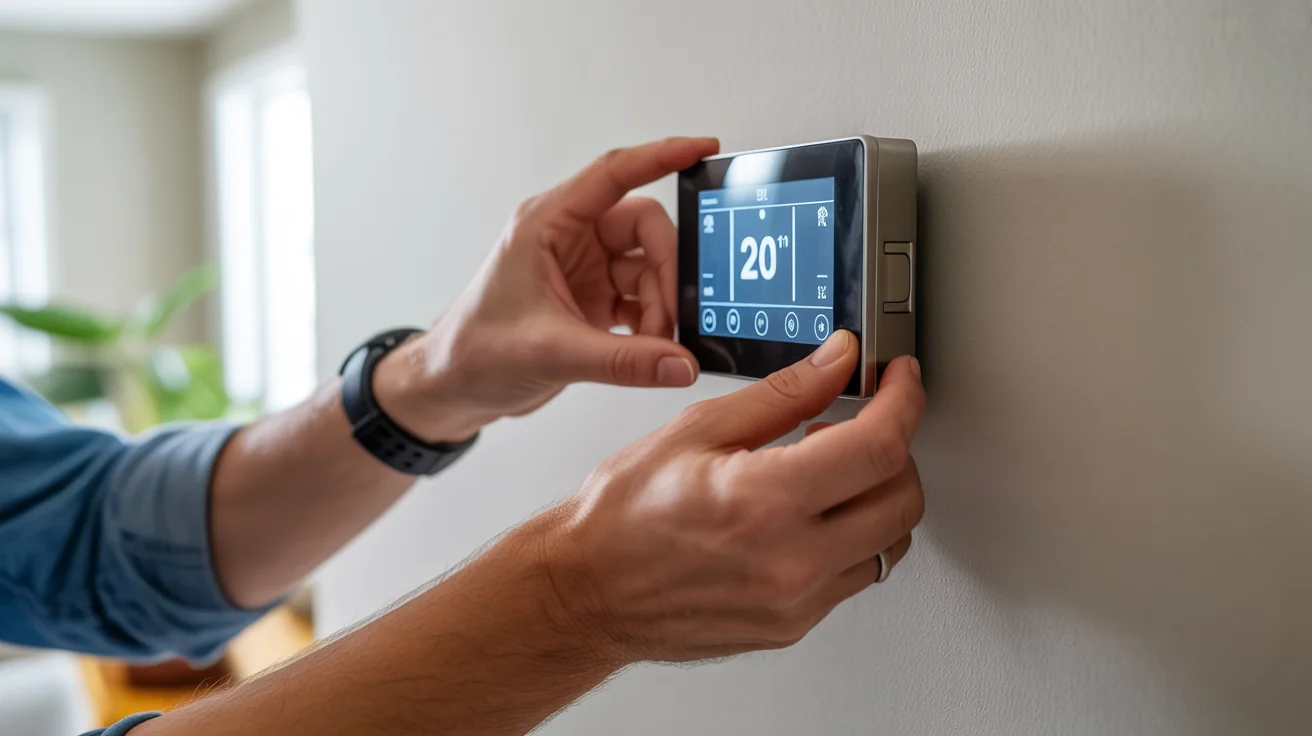
Here’s my honest take on residential smart controls. Most homes don’t need a building automation system. A good Wi-Fi thermostat (Ecobee or a Honeywell T-series) with room sensors does 90% of what a homeowner needs for $200-500. It connects to your phone, learns your schedule, and integrates with Alexa or Google.
Where residential integration gets more involved is whole-home automation. If you’ve got a zoned system with multiple zones, a pool heater, a home automation hub, and you want everything coordinated, that’s where spending $2,000-5,000 on proper integration makes sense. For a typical home with one or two systems? Get a good smart thermostat. I’ll install it for you and save you a bunch of money compared to a full integration project.
Cost-Benefit Analysis and ROI
Integration Investment Analysis
Control System Integration Investment:
Let me break down real costs. Residential smart controls run $1,000-5,000 depending on how many zones and how fancy you want the integration. Small to medium commercial buildings (under 50,000 square feet) typically fall in the $5,000-25,000 range. Large commercial and industrial facilities can hit $10,000-100,000+ depending on the number of systems and complexity. Ongoing support runs $500-5,000 per year for software updates, monitoring, and performance tuning.
Return on Investment:
The payback numbers I’ve seen on actual projects in North Texas: energy savings of 25-35% are realistic for buildings that had basic or outdated controls. Maintenance cost reductions of 30-50% because you’re catching problems early instead of doing emergency repairs. Comfort complaints usually drop to near zero, which property managers love. Property values go up 5-15% because tenants prefer modern, well-controlled buildings.
A typical 30,000 square foot office building spending $3,500/month on energy that invests $20,000 in controls integration and saves 30% on energy is getting $12,600 back per year. That’s about 19 months to break even. After that it’s pure savings.
Value Proposition Analysis
Integration Benefits:
The immediate win is energy savings from day one. But the compounding benefits are where the real value lives. Predictive maintenance extends equipment life by years. You’re not just avoiding emergency repairs, you’re making your $15,000 rooftop units last 18-20 years instead of 12-15. Real-time monitoring means you find problems in hours instead of weeks. And the system scales. When you add a new wing or renovate a floor, you extend the existing controls instead of starting over.
Advanced Integration Features
Predictive Maintenance Integration
Maintenance Management:
This is one of my favorite parts of modern controls. The system watches equipment health in real time. Vibration trending on motors, current draw on compressors, pressure differentials across filters and coils. When something starts trending in the wrong direction, you get a notification before it fails.
I’ve got a customer in Allen with a 15-unit commercial building. Before we integrated maintenance monitoring, they were replacing one or two compressors a year at $2,500-3,500 each, almost always as emergency calls with weekend or after-hours rates. Since integration, we’ve caught every developing problem early and done the repairs during scheduled maintenance visits. Zero emergency compressor failures in two years.
Weather Integration and Climate Adaptation
Weather-Responsive Control:
North Texas weather makes this feature essential rather than optional. The system pulls five-day forecast data and adjusts its control strategy accordingly. When a severe thunderstorm warning comes in, it can pre-cool the building (in case of a power outage), close outside air dampers, and prepare for rapid pressure changes. During our 105-degree August afternoons, peak heat management shifts cooling loads to early morning when rates are lower and equipment runs more efficiently. Humidity management adjusts based on dew point forecasts, not just indoor readings.
Storm preparation is a real thing here. I programmed a system for a medical office in McKinney that automatically shifts to “storm mode” when the National Weather Service issues a tornado watch. It closes all outside air dampers, runs exhaust fans to maintain slight positive pressure, and prepares for emergency shutdown if power drops.
Professional Services and Support
Integration Project Management
Project Management:
A controls integration project touches electrical, mechanical, IT, and sometimes fire protection systems. That requires coordination. We manage the whole project from initial assessment through final commissioning. We coordinate with electricians, IT departments, and existing building staff. Timeline management keeps things on track (and gets us out of the customer’s hair on schedule). Every milestone gets documented and tested before we move to the next phase.
Ongoing Support and Optimization
Support Services:
After commissioning, systems need ongoing attention. We monitor performance remotely and catch drift before it becomes waste. Software updates keep the system current with security patches and new features. Technical support is available 24/7 for system troubleshooting. We do annual training refreshers for building staff because people forget things, and new staff come on. And when the building changes (new tenant buildout, added equipment, different occupancy patterns), we adjust the programming to match.
Frequently Asked Questions
Q: What are the benefits of integrated HVAC control systems? A: The big three are energy savings (20-35% typically), comfort improvements (fewer hot/cold complaints), and maintenance cost reduction. You also get remote monitoring and the ability to participate in utility demand response programs for additional savings.
Q: How complex is HVAC control system integration? A: It ranges from a simple smart thermostat install (half a day) to a full commercial BAS that takes weeks or months. For most small commercial buildings, we’re talking 1-3 weeks of work spread over a month to minimize disruption.
Q: Can existing HVAC systems be retrofitted with smart controls? A: Almost always, yes. The cost and complexity depend on what equipment you have and what communication capabilities are built in. Newer equipment is easier because it usually has BACnet or Modbus capability already. Older equipment might need gateway devices or relay interfaces.
Q: What ongoing support is required for integrated control systems? A: Plan for annual software updates, quarterly performance reviews, and ongoing monitoring. Budget 5-15% of the initial investment per year for support. Skipping support is like never changing your oil. Things work fine until they don’t.
Q: How do smart controls handle power outages and equipment failures? A: Good systems have battery backup on the main controllers so they don’t lose programming during an outage. Redundant communication paths keep the system connected even if one network path fails. And fail-safe programming ensures equipment shuts down safely and restarts in a controlled sequence when power returns.
Q: What ROI can be expected from control system integration? A: Most projects pay for themselves in 2-4 years through energy savings alone. When you factor in reduced maintenance costs and extended equipment life, the ROI gets even better. I’ve seen some projects break even in under 18 months.
Take Action: Integrate Your HVAC Control Systems
If your commercial building is running on basic programmable thermostats or outdated pneumatic controls, you’re spending more on energy than you need to. Smart controls integration is one of the best investments you can make in an existing building.
Want to talk about controls for your building? Call (940) 390-5676 and we’ll start with a free assessment of your current systems and what integration could save you. Or schedule online at jupitairhvac.com/contact. We’ll tell you honestly whether the investment makes sense for your situation.
Professional Integration Services
We’ve been doing controls integration across North Texas since 2008. Our techs hold certifications in BACnet, Tridium Niagara, and major manufacturer platforms. We handle the whole project from assessment through commissioning and provide ongoing support to keep your systems running at peak performance. Whether it’s a single-building office or a multi-building campus, we’ve got the experience to get it right.
Control system integration is one of those things where experience matters more than anything else. Every building is different, and the gotchas live in the details. If you’ve got questions about what’s possible with your building, give us a call.
Jupitair HVAC - Your North Texas control integration experts since 2008. Licensed & Insured.
Sources & References
The building automation standards and smart control technologies in this article are based on the following authoritative sources:
- ASHRAE - Building Automation - BACnet and automation standards
- U.S. Department of Energy - Building Technologies - Smart building efficiency guidance
- ENERGY STAR - Smart Thermostats - Connected device certification
- BACnet International - Building automation protocol standards
- ERCOT - Demand Response - Texas grid demand response programs
- Texas Department of Licensing - HVAC - State contractor licensing
Last Updated: January 2026
Need Professional HVAC Service?
Our certified technicians are ready to help with any HVAC needs in North Texas