Best Smart Thermostats for Texas Homes: 2026 Comparison Guide
Honest comparison of the best smart thermostats for North Texas homes in 2026. Ecobee, Nest, Honeywell, and more ranked by an HVAC pro who installs them all.
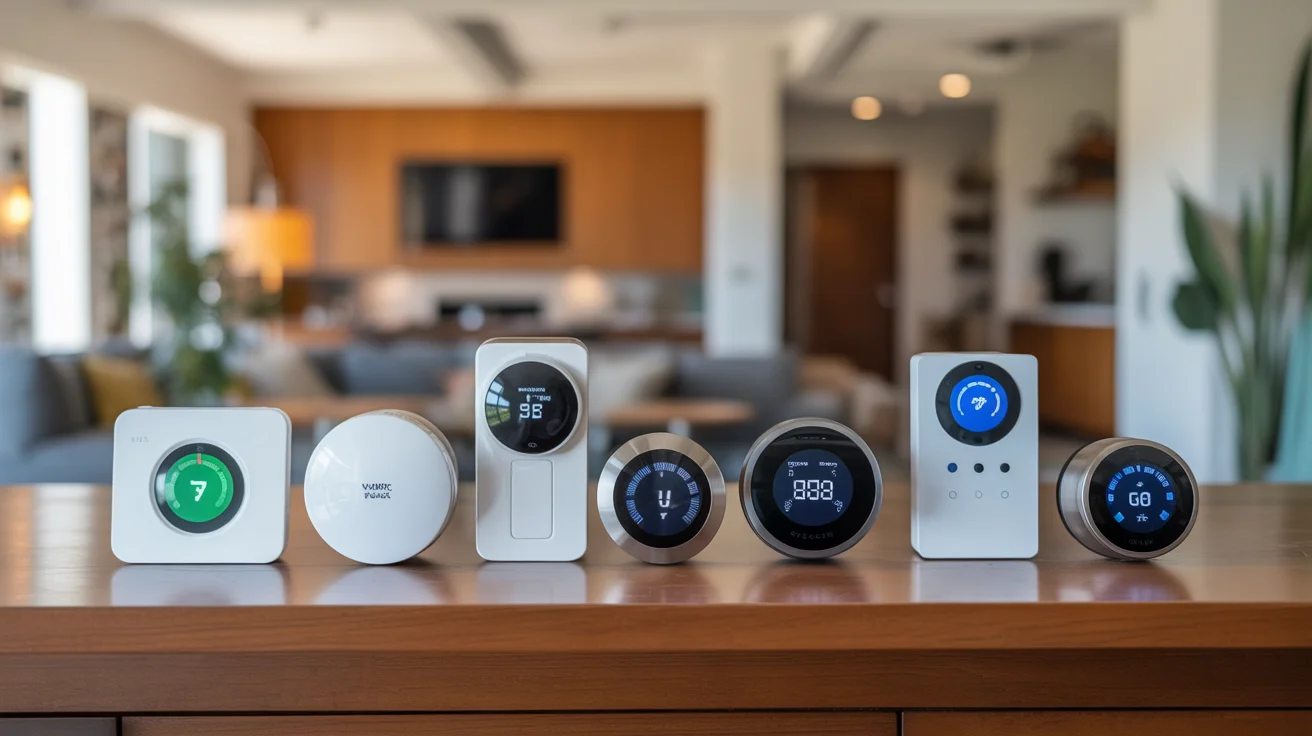
- Quick Comparison: Best Smart Thermostats for 2026
- 1. Ecobee Smart Thermostat Premium: Best Overall for Texas Homes
- 2. Google Nest Learning Thermostat (4th Gen): Best for Google Homes
- 3. Honeywell Home T10+ Pro: Best for Multi-Room Comfort
- 4. Ecobee Smart Thermostat Enhanced: Best Mid-Range Value
- 5. Google Nest Thermostat: Best Budget Smart Option
- 6. Honeywell T6 Pro: The HVAC Pro’s Pick
- 7. Amazon Smart Thermostat: Best Ultra-Budget
+ 6 more sections below...
- Quick Comparison: Best Smart Thermostats for 2026
- 1. Ecobee Smart Thermostat Premium: Best Overall for Texas Homes
- 2. Google Nest Learning Thermostat (4th Gen): Best for Google Homes
- 3. Honeywell Home T10+ Pro: Best for Multi-Room Comfort
- 4. Ecobee Smart Thermostat Enhanced: Best Mid-Range Value
- 5. Google Nest Thermostat: Best Budget Smart Option
- 6. Honeywell T6 Pro: The HVAC Pro’s Pick
- 7. Amazon Smart Thermostat: Best Ultra-Budget
+ 6 more sections below...
Best Smart Thermostats for Texas Homes: 2026 Comparison Guide
I probably install three or four smart thermostats a week across Frisco, Plano, McKinney, and the surrounding cities. Without fail, the homeowner asks me the same thing: “Gary, which one should I get?” Honestly, it depends. Your HVAC system matters. Your budget matters. Even which phone you carry matters, because these things are tied to ecosystems now. But after putting hundreds of them on walls, I’ve got opinions. Strong ones.
So here’s my take on the best smart thermostat options for 2026, based on what actually works out here in North Texas. Not spec sheets. Not Amazon reviews. Just what I see in people’s homes, day after day.
Quick Comparison: Best Smart Thermostats for 2026
Here’s the quick version if you’re in a hurry:
| Thermostat | Price | Best For | Humidity Control | 2-Stage Support | Room Sensors | Voice Assistant |
|---|---|---|---|---|---|---|
| Ecobee Premium | $250 | Overall best | Excellent | Yes | Included (1) | Alexa + Siri |
| Google Nest Learning (4th Gen) | $280 | Google homes | Good | Yes | Sold separately | Google Assistant |
| Honeywell T10+ Pro | $230 | Multi-room comfort | Excellent | Yes | Included (1) | Alexa + Google |
| Ecobee Enhanced | $190 | Mid-range value | Very Good | Yes | Sold separately | Alexa + Siri |
| Google Nest Thermostat | $130 | Budget smart | Basic | Limited | Sold separately | Google Assistant |
| Honeywell T6 Pro | $160 | HVAC pro favorite | Good | Yes | No | Alexa + Google |
| Amazon Smart Thermostat | $80 | Budget Alexa | None | No | No | Alexa only |
1. Ecobee Smart Thermostat Premium: Best Overall for Texas Homes
Price: $250 | Rating: 9.2/10
Ecobee Premium is my go-to recommendation for most North Texas homeowners. It’s not even a tough call. The reason comes down to one thing: real humidity compensation baked into how the thermostat thinks.
If you haven’t lived through a Texas summer, you might not get why that matters so much. But we regularly hit 85%+ humidity on summer mornings around here. Most thermostats just look at the temperature, hit the target number, and shut off. The Ecobee actually factors in how humid your house feels. So your AC doesn’t short-cycle on those muggy mornings when it’s technically “cool enough” but everything feels sticky. I see this problem constantly in The Colony and Little Elm homes near the lake, where cheaper thermostats just can’t keep up.
What I like in the field:
- Built-in air quality monitor that’ll flag bad IAQ before you start feeling it
- Radar-based occupancy sensor. Way more accurate than the old motion-detection style.
- Works with Alexa and Siri out of the box, no hub needed
- Comes with one SmartSensor for a second room
- Full 2-stage heating and cooling support, dual-fuel too
What bugs me:
- That built-in Alexa speaker? Pretty mediocre. If you already have Echo devices, you’ll never use it.
- $250 for a thermostat is a lot of money, I get it.
- The touchscreen takes a couple seconds to wake up sometimes. Not a huge deal, but it’s there.
Texas-specific note: Ecobee’s “feels like” temperature feature is the real deal here. Picture this: it’s 74 degrees in your house but 68% humidity. That feels more like 78. The Ecobee picks up on that and adjusts. I’ve had Plano customers tell me their home finally feels right in spring without having to crank it down to 70.
HVAC compatibility: I haven’t found a system this thing won’t work with. Single-stage, two-stage, variable-speed, heat pumps, dual-fuel. If your home was built after 2000, you probably have a C-wire, and installation takes maybe 20 minutes. No C-wire? Ecobee throws in a Power Extender Kit right in the box.
Energy savings: Ecobee says up to 26%. I’d say 15-20% compared to a basic programmable is more realistic for our area. That’s roughly $200-$350 per year off a typical Frisco electricity bill, which still adds up fast.
2. Google Nest Learning Thermostat (4th Gen): Best for Google Homes
Price: $280 | Rating: 8.8/10
I’ll be honest, I used to steer people away from the 3rd gen Nest. Had too many compatibility headaches. But this 4th generation? Google finally got it right. They fixed the HVAC issues that gave me so many service calls.
If your house runs on Google (Nest cameras, Home speakers, Pixel phone), this thermostat pulls it all together in a way that actually saves energy. You can set up Google Home routines so the temperature adjusts when you leave, when you get home, when you say goodnight. That’s where real savings come from. Not the thermostat being “smart.” Your habits being automated.
What I like in the field:
- Beautiful hardware. Customers always comment on how good it looks on the wall.
- The learning algorithm genuinely figures out your schedule after a week or two
- Handles up to 2 stages of cooling and 3 stages of heating
- Built-in temperature sensor plus optional remote sensors
- The app gives you clear energy reports that actually make sense
What bugs me:
- $280 makes it the priciest thermostat on this list
- Remote sensors are $40 each and sold separately. Ecobee includes one free.
- That first week while it’s “learning” can be frustrating. It guesses wrong a lot before it calibrates.
- Google only. No Alexa, no Siri. You’re locked in.
Texas-specific note: Nest handles humidity, but not as cleverly as Ecobee. It uses something called “Cool to Dry” mode, which basically just runs your AC longer to wring moisture out of the air. That works fine, but you’re paying for those extra run cycles in humid months. Ecobee’s approach is just smarter about it.
HVAC compatibility: Way better than the old version. Two-stage systems actually work correctly now (the 3rd gen had real problems there). Heat pump support is solid, including aux and emergency heat staging. One thing though: if you’ve got dual-fuel (heat pump plus gas furnace), double-check compatibility through Google’s checker before you buy. I’ve run into a few weird situations in older McKinney homes where it didn’t play nice.
3. Honeywell Home T10+ Pro: Best for Multi-Room Comfort
Price: $230 | Rating: 8.6/10
This is what I put in when a customer says “my upstairs is always hot” or “the bedroom is freezing but the living room is fine.” The T10+ Pro’s RedLINK room sensors have a 200-foot range and can watch temperature, humidity, and occupancy in up to 20 rooms. That’s not just a number on a brochure. I’ve seen it fix real comfort problems in big Prosper homes where the upstairs bedroom runs 6 degrees warmer than downstairs.
What I like in the field:
- Best room sensor system of any brand. Better range and more reliable than Ecobee or Nest.
- Humidity sensing in both the thermostat AND the remote sensors
- Plays nice with Alexa and Google Assistant
- Honeywell’s HVAC compatibility is the broadest on the market. Full stop.
- Wiring is clean and straightforward, which makes my job easier
What bugs me:
- Looks a bit dated next to an Ecobee or Nest. The interface hasn’t had a real design refresh.
- The app works but feels like it’s from 2021
- No built-in voice assistant, so you need a separate speaker
Texas-specific note: Got a two-story in Allen or Frisco? This is where the T10+ Pro earns its money. You set the master bedroom sensor as priority at night, the living room sensor during the day. Your system targets comfort where you actually are instead of averaging the whole house, which is what most thermostats do. Big difference.
HVAC compatibility: Honeywell has been in the thermostat business longer than anyone else. The T10+ Pro works with single-stage, multi-stage, heat pumps, dual-fuel, even some light commercial setups. In 15-plus years of HVAC work, I’ve never had a Honeywell that gave me trouble on the wiring. Not once.
4. Ecobee Smart Thermostat Enhanced: Best Mid-Range Value
Price: $190 | Rating: 8.4/10
Here’s the sweet spot if you want a real smart thermostat for HVAC integration but $250 feels like a stretch. The Enhanced runs the same humidity compensation algorithm as the Premium. You lose the air quality monitor and the built-in Alexa speaker, but honestly? Most people don’t use either of those anyway.
What I like in the field:
- Same climate intelligence as the Premium, $60 cheaper
- Humidity-aware cooling cycles, which is the feature that actually matters in Texas
- Supports 2 cooling + 1 heating stage, or 2 heating + 1 cooling stage
- Touchscreen is clean and responsive
- Works with Alexa, Siri, and Google Assistant
What bugs me:
- No room sensor in the box. That’s a $40 add-on for a 2-pack.
- No air quality monitoring
- Display is slightly smaller than the Premium’s
Texas-specific note: If you’re in a single-story home under 2,000 square feet in Plano or Addison, this gives you 90% of the Premium’s brains for 75% of the cost. And you probably don’t need the air quality sensor anyway if your HVAC system has a good media filter or UV light.
5. Google Nest Thermostat: Best Budget Smart Option
Price: $130 | Rating: 7.8/10
The standard Nest (not the Learning version) is a solid starter smart thermostat. Nothing fancy. Learns your schedule, works with Google Home, and has a mirror finish that makes it look more expensive than $130. I’ve put a bunch of these in.
What I like in the field:
- At $130, it pays for itself in one Texas summer. Easy math.
- The Google Home app walks you through installation step by step. Most homeowners can do this themselves.
- Savings Finder suggests schedule tweaks based on how you actually use your system
- Works without a C-wire in most setups using power sharing
What bugs me:
- Limited 2-stage support. It handles 2-stage heating OR 2-stage cooling, but not both at the same time. That’s a problem for plenty of North Texas systems.
- No humidity-specific controls at all
- No room sensors unless you buy Nest Temperature Sensors separately
- Google ecosystem only
Texas-specific note: If you’ve got a straightforward single-stage AC and gas furnace (super common in homes built between 1995 and 2010 around here), this does everything you need for $130. Great deal. But if you’ve got a newer 2-stage or variable-speed system, spend the extra on the Ecobee Enhanced or Nest Learning. Think about it: you paid thousands for that advanced equipment. Don’t cheap out on the thing that controls it.
6. Honeywell T6 Pro: The HVAC Pro’s Pick
Price: $160 | Rating: 7.5/10
I install more T6 Pros than anything else on this list. Not because it’s exciting. Because it works. It works with everything, it never generates a callback, and homeowners can figure it out without calling me two days later.
What I like in the field:
- Bulletproof reliability. I’ve never replaced one because it failed. Never.
- Full 2-stage support with proper staging delays
- Simple interface. No learning curve. Your grandmother could program this.
- Works with Alexa and Google Assistant through the Resideo app
- Geofencing adjusts temps when you leave or come home
What bugs me:
- No room sensors
- The display is nothing to look at
- Reads humidity but doesn’t actually adjust cooling based on it, which is a missed opportunity
Texas-specific note: Rental properties, vacation homes, or if you just want something that works and you never think about? T6 Pro. All day. I recommend it constantly for investment properties across McKinney and Allen where the owner lives somewhere else but still wants control through the app.
7. Amazon Smart Thermostat: Best Ultra-Budget
Price: $80 | Rating: 6.8/10
Eighty bucks. Sometimes $60 on sale. That’s the pitch. The Amazon Smart Thermostat is Honeywell hardware underneath, which makes me trust the guts a little more than the price tag suggests.
What I like in the field:
- Hard to complain about the price
- If you’ve got Echo devices everywhere, the Alexa integration is smooth
- Guided installation is genuinely helpful for first-timers
- ENERGY STAR certified
What bugs me:
- No 2-stage support. Single-stage systems only.
- Zero humidity control
- No room sensors
- Alexa only. No Google, no Siri.
- Feels cheap in your hand compared to everything else here
Texas-specific note: I only suggest this for basic single-stage systems in smaller homes or apartments. If your HVAC system cost more than five grand, please don’t pair it with an $80 thermostat. You’re leaving performance and efficiency on the table, and you won’t even realize it until the electric bill comes.
Programmable Thermostat vs Smart Thermostat: Is the Upgrade Worth It?
I get this one a lot, especially from folks who already have a decent programmable thermostat and aren’t sure what they’d gain. Here’s the honest answer.
A programmable thermostat lets you set a schedule. Wake, leave, return, sleep. It runs that schedule no matter what, whether you’re home or on vacation. A smart thermostat does the same thing but adds occupancy detection, learning algorithms, remote control from your phone, and on the better models, humidity compensation.
The real savings difference in North Texas:
| Feature | Programmable ($30-$80) | Smart ($130-$280) |
|---|---|---|
| Set schedule | Yes | Yes (auto-learns) |
| Remote control | No | Yes (app) |
| Occupancy detection | No | Yes |
| Humidity compensation | No | Some models |
| Energy reports | No | Yes |
| Typical annual savings vs manual | $100-$150 | $180-$350 |
| Payback period | Immediate | 6-18 months |
If you’re already using a programmable and you actually program it (a lot of people don’t, by the way), going smart saves you an extra $50-$150 a year. That’s real money over a decade, but it’s not going to change your life.
Where smart thermostats pull ahead is behavior change. The energy reports make you aware of where the money goes. Occupancy detection catches those Saturdays you leave and forget to bump the temp up. Remote control means you can adjust things when plans change instead of cooling an empty house all afternoon. Little stuff, but it compounds. For a deeper dive on settings, check out our thermostat settings guide for Texas homes.
What to Check Before Buying: HVAC Compatibility
Before you order anything online, check three things. This is the number one reason people end up calling me for a smart thermostat installation that they thought they could do themselves.
1. Count Your Wires
Pop your current thermostat off the wall and look at the wires. Snap a photo with your phone.
- 4 wires (R, G, Y, W): That’s a basic system with no C-wire. You’ll need Ecobee’s Power Extender Kit or Nest’s power sharing feature.
- 5 wires (R, G, Y, W, C): You’ve got a C-wire. Any smart thermostat will work fine.
- 6-8 wires: Probably a 2-stage system or heat pump. Make sure whatever you buy supports your exact configuration.
2. Identify Your System Type
- Single-stage AC + gas furnace: Anything on this list works. Go nuts.
- Two-stage AC or heat pump: You need the Ecobee, Nest Learning (4th gen), Honeywell T10+ Pro, or T6 Pro.
- Dual-fuel (heat pump + gas furnace): Stick with the Ecobee Premium or Honeywell T10+ Pro. Those are your safest options.
- Variable-speed or communicating system: Talk to your HVAC contractor first. Some systems like Carrier Infinity or Trane ComfortLink need their own brand-specific thermostats, and a standard smart thermostat won’t give you full control.
3. Check Your Wi-Fi
Smart thermostats need a stable Wi-Fi signal. If your thermostat sits in a hallway that gets weak reception, a simple Wi-Fi extender fixes it. I run into this on maybe 1 out of 10 installs. Quick fix, but annoying if you don’t catch it beforehand.
Smart Thermostat Installation: DIY or Call a Pro?
Straightforward system with 5 or more wires? You can handle this yourself in 20-30 minutes. A screwdriver and the app’s step-by-step instructions are all you need.
Call a pro when:
- You have fewer than 5 wires and need a C-wire pulled ($75-$150 for the wire run)
- Your system is 2-stage, variable-speed, or dual-fuel
- The wire colors don’t match standard color coding (more common than you’d think)
- Your current thermostat has a thick cable instead of individual wires, which usually means an older communicating system
Professional smart thermostat installation runs about $75-$150 for labor on top of the thermostat. That covers verifying your system type, programming everything for your specific equipment, and making sure the staging works right. Worth it for the peace of mind. I’ve seen people misconfigure their staging and not realize it for months, just burning money on electricity the whole time.
My Pick for Most North Texas Homes
If I have to pick one: Ecobee Smart Thermostat Premium at $250.
The humidity compensation alone makes it the best smart thermostat for this part of Texas. It works with every system type I come across. The included room sensor is a nice touch. And the savings show up on your bill. They’re real, not theoretical.
Budget tighter? The Ecobee Enhanced at $190 runs the same humidity logic for less. If you live in Google’s world, the Nest Learning Thermostat (4th Gen) is excellent, just buy at least one remote sensor with it.
And for rental properties or anyone who just wants something reliable that doesn’t need babysitting, grab the Honeywell T6 Pro at $160 and move on with your life.
Want more ideas for cutting your energy costs beyond the thermostat? Take a look at our full HVAC energy efficiency guide.
Need help picking or installing a smart thermostat? Give Jupitair HVAC a call at (940) 390-5676. I’ll help you figure out the right model for your system and get it installed correctly the first time. We serve Frisco, Plano, McKinney, Allen, Prosper, The Colony, Little Elm, and Addison.
Frequently Asked Questions
Do smart thermostats really save money in Texas?
They do. In North Texas, cooling eats up 40-60% of your summer electric bill. A smart thermostat typically saves $180-$350 per year compared to a manual thermostat because it detects when nobody’s home and stops cooling an empty house. If you’re upgrading from a basic programmable that you actually use, expect an additional $50-$150 in annual savings. Still worth it, just not as dramatic.
Can I install a smart thermostat myself?
If you’ve got a standard single-stage system with 5 or more wires including a C-wire, yes. Budget 20-30 minutes and use the app’s guided walkthrough. Every thermostat on this list includes one. But if you’ve got a 2-stage system, a heat pump, or fewer than 5 wires, I’d recommend letting a pro handle it. Misconfiguring the staging on a 2-stage system is a surprisingly expensive mistake.
Which smart thermostat works best with a 2-stage HVAC system?
Ecobee Premium and Honeywell T10+ Pro give you the most complete 2-stage support, including dual-fuel setups. The Nest Learning Thermostat (4th Gen) handles 2-stage well too. Stay away from the standard Nest Thermostat and the Amazon Smart Thermostat for 2-stage systems. Their staging support just isn’t there.
Is Nest or Ecobee better for humidity control?
Ecobee, and it’s not particularly close. The Premium and Enhanced models adjust cooling cycles based on actual moisture levels, which makes a noticeable difference during North Texas spring and summer when the humidity spikes before the temperature does. Those mornings where it’s 75 but feels like 82? Ecobee handles those. Nest uses a “Cool to Dry” approach that just runs your AC longer. It works, but you pay for those extra cycles.
Do I need a C-wire for a smart thermostat?
Not necessarily. Nest uses power sharing that usually works fine without one. Ecobee includes a Power Extender Kit for homes that don’t have one. That said, a C-wire gives you the most reliable power supply. If your home was built after 2000, there’s a good chance you already have one hiding behind your current thermostat. Pull it off and look, or ask next time you have an AC maintenance visit.
What’s the difference between the Nest Thermostat and Nest Learning Thermostat?
The standard Nest at $130 does basic learning and has limited staging support. The Learning Thermostat 4th Gen at $280 adds full 2-stage support, a nicer display, and more advanced learning. If your system is anything beyond single-stage, the Learning version is worth every penny of the $150 difference.
Sources & References
- ENERGY STAR Certified Smart Thermostats - Certified product listings and energy savings data
- Consumer Reports: Best Smart Thermostats of 2026 - Independent lab testing and ratings
- Ecobee Compatibility Checker - System compatibility verification
- Google Nest Thermostat Compatibility - Nest system requirements and staging support
- U.S. Department of Energy - Thermostats - Energy savings benchmarks and recommendations
Last Updated: March 2026
Need Professional HVAC Service?
Our certified technicians are ready to help with any HVAC needs in North Texas