Summer Cooling Optimization: Texas Heat Survival Guide for Maximum AC Efficiency
Optimize AC performance for Texas summer heat. Strategies for peak cooling efficiency, energy savings, and system reliability in extreme heat.
- When 100°F Becomes Your New Normal
- Why North Texas Heat Breaks HVAC Systems
- Pre-Season Cooling System Optimization
- Peak Performance Strategies for Extreme Heat
- Equipment-Specific Optimization Strategies
- Energy Cost Management During Peak Summer
- Advanced Cooling Technologies for Texas Heat
- Maintenance Intensive Summer Protocols
+ 8 more sections below...
- When 100°F Becomes Your New Normal
- Why North Texas Heat Breaks HVAC Systems
- Pre-Season Cooling System Optimization
- Peak Performance Strategies for Extreme Heat
- Equipment-Specific Optimization Strategies
- Energy Cost Management During Peak Summer
- Advanced Cooling Technologies for Texas Heat
- Maintenance Intensive Summer Protocols
+ 8 more sections below...
Here’s the short version: pre-cool your house to 72-74°F before 10 AM when electricity is cheap (8.2¢/kWh), then let it drift up to 78-79°F during peak hours (2-7 PM) when you’re paying 24.3¢/kWh. Your AC works 3-4x harder here than it would in, say, Denver. I know because I used to work in Colorado, and the difference is staggering. Sixty-three days a year above 95°F, nighttime “lows” that barely dip below 85°F. I’ve seen more compressors die in one North Texas summer than I saw in three years out west. A professional optimization ($299-$599) typically saves 20-40% on energy and keeps you from getting hit with a $500-$2,500 emergency repair bill. And if your system is running nonstop during a heat wave? That’s actually normal. It’s the short-cycling and safety shutdowns you need to worry about.
When 100°F Becomes Your New Normal
I’m going to be straight with you. Summer in North Texas isn’t just “hot.” It’s a three-month stress test for every piece of equipment on your property, including your AC. I’ve been on rooftops where the sheet metal was so hot I could feel it through my boots. I’ve crawled through attics that hit 140°F. In August 2023 I serviced a unit in Frisco that barely cycled off for weeks — that summer DFW logged 55 days at or above 100°F, the third-most on record.
A normal DFW summer brings about 20 days above 100°F and 63 above 95°F. A hot one — 2022, 2023 — brings 47 to 55 hundred-degree days. Heat indexes push 115°F. That’s not normal for most of the country.
And the thing people don’t realize? Optimizing your cooling system for these conditions isn’t some nice-to-have upgrade. It’s the difference between a $200 electric bill and a $600 one, between your system lasting 15 years or giving up at 8.
Why North Texas Heat Breaks HVAC Systems
What your equipment actually deals with:
- Weeks of sustained 100°F+ temperatures with no break
- Overnight “lows” around 85°F, so your system never really gets to rest
- Urban heat island effects that crank up the temperature even more in the suburbs
- Buildings that absorb heat all day and radiate it back all night
Then there’s the humidity. People think of Texas as dry. Parts of it are. North Texas? Not so much. We regularly see 60-80% humidity in summer, and that makes everything worse. Your AC has to pull moisture out of the air AND cool it down, which puts double the strain on the system. Condensate drains get overwhelmed. I clean more clogged drain lines in July than the rest of the year combined.
And the infrastructure problems. The power grid gets shaky during peak demand. I’ve measured voltage drops at outdoor units during heat waves that would make an electrician wince. Your compressor doesn’t like running on brownout power. Add in dust storms that clog a brand-new filter in a week, and storm season dumping debris on your outdoor unit, and you start to understand why Texas is where HVAC equipment goes to be tested.
Pre-Season Cooling System Optimization
Critical System Preparation for Texas Heat
Late Spring Optimization Checklist (March-April):
This is when you want to catch problems. Not in July when everyone and their neighbor is calling for emergency service and wait times are two weeks long.
1. Complete System Inspection
- Heat exchanger and coil condition check
- Refrigerant level verification and leak testing
- Tightening electrical connections (they loosen over time from vibration and thermal cycling)
- Ductwork inspection for damage, gaps, or settling
- Insulation assessment and planning any upgrades before it gets brutal
2. Equipment Capacity Analysis
- Running a proper cooling load calculation for your specific house
- Verifying your equipment is actually sized right for Texas heat conditions
- Checking whether your ductwork can handle peak demand
- Evaluating zones to deal with hot spots (everybody’s got at least one room)
3. Efficiency Upgrades and Modifications
- Variable speed motor installation for better efficiency
- Smart thermostat upgrade with peak demand management
- Ductwork sealing and insulation (this one pays for itself fast)
- Window film and shading improvements
Refrigerant System Optimization
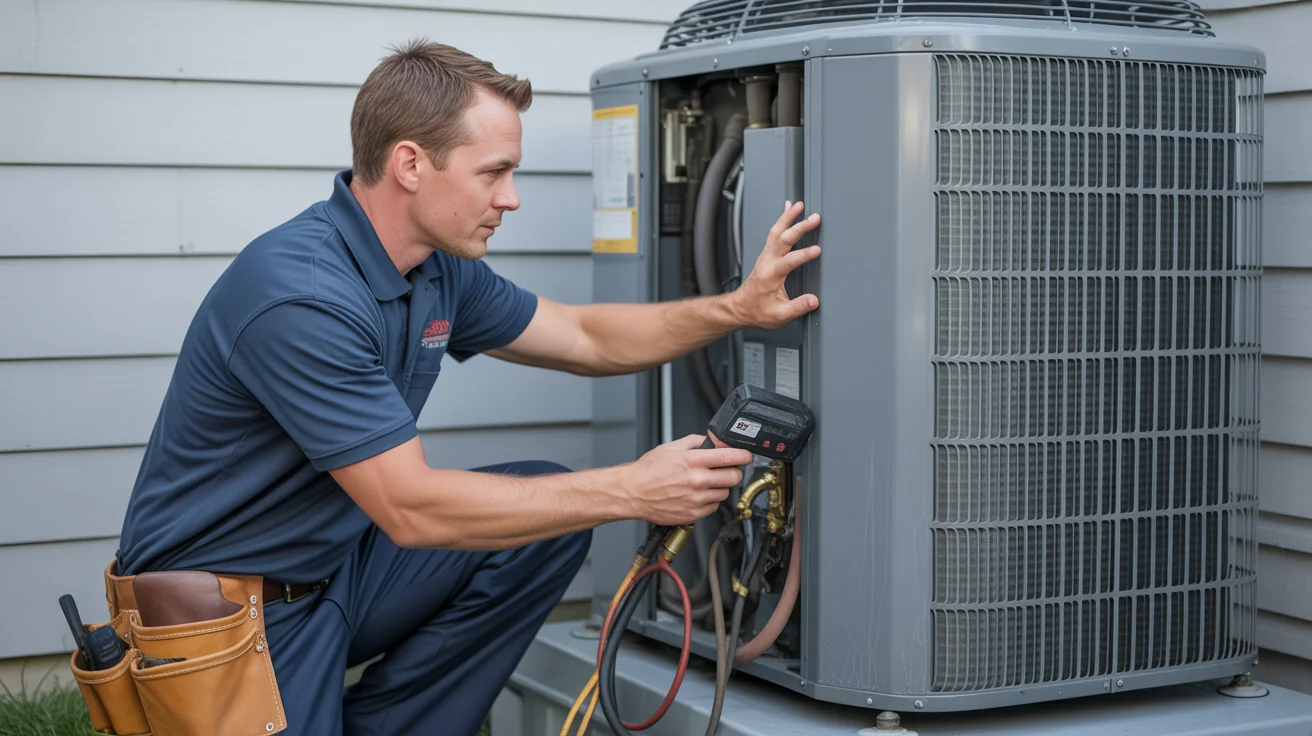
This is the foundation of everything. I can’t tell you how many service calls I go on where the root cause turns out to be a refrigerant charge that’s off by a few ounces. When it’s 95°F outside, a slightly low charge might not be noticeable. When it’s 107°F? That same system falls on its face.
What a proper refrigerant optimization includes:
- Superheat and subcooling measurements at different operating conditions
- Full system evacuation and fresh charge when needed
- Leak detection throughout the whole system (not just the obvious spots)
- Metering device calibration so refrigerant flows at the right rate
- Performance verification at different outdoor temperatures
How to tell your system needs refrigerant service:
If your cooling drops off on the hottest days specifically, that’s a red flag. The days when you need it most are when a refrigerant issue shows itself. Watch your electric bill too. If you’re using more power for the same comfort level, something’s off. Ice forming on your indoor coil during peak heat is a big one - that means airflow or refrigerant problems, and it needs attention now, not next week. Uneven temperatures between vents can point to refrigerant distribution issues. And if your system just runs and runs without ever reaching the set temperature, there’s a good chance refrigerant is part of the problem.
Peak Performance Strategies for Extreme Heat
Thermostat Programming for Texas Survival
Forget what the generic thermostat guides tell you. Those are written for people in Ohio. Texas heat requires a completely different approach.
Here’s what actually works:
During the pre-cooling phase (6-8 AM), set it to 75°F while it’s still relatively cool outside. Your system can actually get ahead during these hours. Then let the temperature drift up to 78-79°F during the 2-6 PM peak when electricity costs the most and your system is working hardest. After 6 PM, bring it back down to 76-77°F as things start to moderate. Overnight, 75-76°F keeps you comfortable even though it’s still 85°F outside.
I know 78°F sounds warm. But here’s the thing: with low humidity and a ceiling fan running, 78°F feels a lot different than 78°F with sticky air and no air movement. Work with the system, not against it.
When it gets really bad:
- Program separate schedules for heat warning days (100°F+)
- Use humidity-based controls if your thermostat supports it
- Set up peak demand response programs with your electric provider
- Have an emergency cooling schedule ready for those 108°F days
Load Management During Heat Waves
Think of it like this: every bit of heat you add to your house, your AC has to remove.
1. Shift the Heat-Producing Stuff
- Run the dishwasher, washing machine, and dryer before 2 PM or after 7 PM
- Cook outside or use the microwave instead of the oven during peak hours
- Close blinds and curtains on south and west-facing windows. Seriously, this alone can make a noticeable difference
- Even charging a laptop generates heat. Everything adds up
2. Work With Airflow, Not Against It
- Close vents in rooms nobody’s using during peak hours
- Ceiling fans let you bump the thermostat up 3-4°F and feel the same
- Focus cooling on the rooms people actually occupy
- Adjust dampers to send more air to your hot spots
3. Control the Humidity
- Run a whole-home dehumidifier if you have one
- Use exhaust fans in bathrooms and the kitchen religiously
- Try to time showers and cooking for cooler parts of the day
- Keep an eye on indoor humidity. Under 50% is the sweet spot
Equipment-Specific Optimization Strategies
Central Air Conditioning System Optimization
Multi-stage systems need to be set up properly for Texas. I see a lot of newer systems where the staging isn’t configured for our conditions, and the homeowner doesn’t even know it.
How staging should work here:
- First stage handles moderate heat (80-95°F outdoor temps)
- Second stage kicks in for the bad days (95-105°F)
- When we’re in heat dome territory (105°F+ for days), you need every bit of capacity available
Ductwork matters more than people think. I had a customer in Plano last summer whose system was only 4 years old and couldn’t keep the house below 80°F. Turned out his attic ductwork had R-4 insulation. In a 150°F attic. The air was getting reheated before it even reached the rooms. We upgraded to R-8, sealed every connection, and suddenly his system worked like it was supposed to.
- Insulate all attic ductwork to R-8 minimum
- Seal every connection. Even small leaks add up fast
- Make sure return ducts are large enough for increased cooling loads
- Size supply ducts properly for each room
Heat Pump Systems in Texas Summer
Heat pumps get a bad reputation in Texas, but honestly, they work great here for most of the summer. They’re 20-30% more efficient than traditional AC when it’s between 85°F and 100°F, which is most of our summer.
Where it gets tricky is above 100°F. At that point, heat pump efficiency drops to roughly equal with a traditional system. Not worse, just equal. And you get the bonus of heating capability for those random February ice storms.
To get the most out of a heat pump in summer:
- Refrigerant charge optimization specifically for cooling mode
- Test the reversing valve regularly. When this fails, you’ve got a problem
- Keep that outdoor coil spotless. Heat pumps need maximum heat rejection
- Maximize indoor airflow for efficient operation
Maintenance is about the same as a traditional system, but the reversing valve adds one more thing that can go wrong. Make sure your tech actually knows heat pumps. Not everyone does.
Ductless Mini-Split Optimization
Learn more about our professional Ductless Mini-Split services.
Mini-splits are fantastic for Texas heat when they’re set up right. I’ve been installing more and more of them for bonus rooms, garage conversions, and additions where running ductwork would be a nightmare.
Getting the most out of mini-splits in Texas:
- Program each zone individually for occupied spaces only
- Higher SEER ratings (20+) really shine in extreme heat. This is where you see the payback
- Clean indoor filters every two weeks during summer. They’re small and clog fast
- Shade the outdoor unit from direct sun if possible
- Make sure the refrigerant lines are properly insulated. I’ve seen installations where the insulation was missing or deteriorated, and the efficiency loss was significant
Energy Cost Management During Peak Summer
Understanding Texas Electricity Markets
This is where people leave money on the table. Texas has a deregulated electricity market, which means you can shop for plans, and many of them have time-of-use rates. Understanding those rates changes everything about how you should run your AC.
The basic strategy:
Off-peak hours (roughly 10 PM to 2 PM) are when electricity is cheapest. This is when you want your system doing the heavy lifting, pre-cooling the house, running at lower setpoints. During peak hours (2 PM to 8 PM), you’re paying a premium. Let the house drift warmer. Use the thermal mass in your floors and walls to coast. Then during the shoulder period (8 PM to 10 PM), gradually bring things back to comfort.
Specific ways to cut peak demand costs:
Pre-cool your home to 72-74°F before peak hours start. You’re basically “charging” your house with cool air while electricity is cheap. A well-insulated house can coast for hours on that stored cool. Smart thermostats with utility demand response programs can automate this whole process. And if you really want to go all-in, battery backup systems can power your AC during the most expensive hours using stored off-peak electricity.
Cost-Effective Efficiency Improvements
The upgrades that actually pay for themselves:
1. Insulation and Air Sealing ($500-2,000)
- Bring attic insulation up to R-38 or higher
- Seal around every penetration, pipe, wire, and vent
- Seal and insulate ductwork
- Window film on south and west-facing windows
This typically cuts cooling costs 20-30%, with a payback of 2-4 years. I’ve seen attic insulation alone drop someone’s summer bills by $100/month.
2. Smart Thermostat with Advanced Programming ($200-500)
- Peak demand response capability
- Learning your schedule so you don’t have to think about it
- Remote control from your phone (handy when you forget to adjust before a trip)
- Integration with your utility’s demand response program
Cuts cooling costs 10-20%, pays for itself in 1-2 years. This is the easiest win.
3. Variable Speed Motor Upgrades ($800-1,500)
- Continuous gentle airflow instead of blast-on, blast-off cycling
- Way better humidity control
- Better air filtration because air is always moving through the filter
- Noticeably quieter
Saves 15-25% on cooling costs, 3-5 year payback. Worth it if you plan to stay in the house.
Advanced Cooling Technologies for Texas Heat
Hybrid Cooling Systems
Combining technologies is where things get interesting. There’s no single perfect system for Texas, but pairing the right technologies together gets you close.
Traditional AC with evaporative pre-cooling works surprisingly well during our dry heat spells. The evaporative stage pre-cools the air hitting your condenser coil, so the compressor doesn’t have to work as hard. Heat pump systems with backup traditional AC give you peak efficiency most of the year with conventional cooling as backup when temperatures get truly extreme. Zoned systems with supplemental mini-splits are great for targeting problem areas without oversizing your main system. And solar-assisted cooling just makes sense when the sun is trying to melt your house anyway. Use it to fight back.
Geothermal Cooling in North Texas
I’ll be honest, geothermal isn’t for everyone. The upfront cost is real. But for the right situation, it’s the best cooling system you can put in a Texas home.
Why it works so well here: The ground 6 feet down stays around 65°F year-round. Your system is rejecting heat into 65°F earth instead of 107°F air. That’s a massive efficiency advantage. These systems maintain 300-400% efficiency even during the worst heat waves, when traditional systems are struggling hardest.
There’s also almost no outdoor equipment to worry about. No condenser to protect from hail, no coils to clean, no fan motors exposed to the elements.
What to consider:
- Installation runs $15,000-25,000, but the system lasts 25+ years (the ground loop can last 50)
- North Texas soil is generally good for geothermal. The clay actually has decent thermal conductivity
- Federal tax credits and some local incentives help with the upfront cost
- You need a proper soil analysis before design. Don’t skip this step
Solar-Assisted Cooling Systems
Texas gets an absurd amount of sunshine. Using some of it to power your cooling system is almost poetic.
Your options:
- Solar panels feeding your traditional AC (most common and straightforward)
- Solar thermal absorption cooling for larger commercial applications
- Hybrid solar-electric with battery storage for peak shaving
- Solar attic ventilation fans to reduce cooling load (cheap, effective)
Maintenance Intensive Summer Protocols
Monthly Maintenance During Peak Season
June through September, your system needs more attention. Think of it like checking the oil on a car you’re driving cross-country versus one sitting in the garage.
1. Filter Management
- Check filters every two weeks during peak use. I mean look at them, not just think about them
- Standard filters need replacing monthly in summer. High-efficiency ones every 2-3 months
- During dust storms (and we get them), clean reusable filters weekly
- Keep spare filters in the closet. You don’t want to be hunting for the right size at Home Depot on a 106°F Saturday
2. Coil Maintenance
- Walk out to your outdoor unit once a week. Is it covered in cottonwood fluff? Grass clippings? Dirt? Rinse it off gently with a garden hose
- Check the indoor coil for ice. If you see frost, turn the system off and call someone
- If you notice performance dropping, schedule a professional coil cleaning before things get worse
3. Drainage System Management
- Check condensate drains weekly when humidity is high. This is the number one cause of water damage I see from AC systems
- Clear drain lines of algae and slime buildup
- Make sure the drain pan is actually draining and not holding water
- Drop an algae tablet in there to prevent biological growth
Emergency Maintenance During Heat Waves
When it’s 105°F+ for multiple days straight, your system is in survival mode.
Daily checks during heat waves:
- Is the system cycling normally, or running nonstop? Nonstop is okay. Short-cycling is bad
- Any ice on the indoor coil or refrigerant lines?
- Walk around and feel the airflow at each vent. Weak spots mean trouble
- Listen. You know what your system sounds like normally. New noises mean something changed
Things you can do to help your system survive:
- Lean a piece of plywood or shade cloth against the outdoor unit during afternoon sun. Just don’t block airflow
- Hose down the outdoor coil if it’s covered in dust or debris
- Run ceiling fans everywhere to supplement the AC
- Have a backup plan. Know where you’d go if the system fails. A hotel, a friend’s house, wherever. Heat stroke is real
Troubleshooting Peak Summer Performance Issues
Related: Troubleshooting
Common Texas Heat Problems and Solutions
1. System Running Continuously Without Reaching Temperature
This is my most common summer call. Here’s what I check:
If the system is undersized for the house, no amount of tweaking will fix it. You might need supplemental cooling or eventually a bigger system. Dirty coils are the next thing I look at because they prevent proper heat transfer. Low refrigerant is a big one, especially if the system is older and has slow leaks that have gotten worse over time. Blocked airflow from dirty filters, closed vents, or crushed ductwork makes the system work harder for less result. And I always check where the thermostat is located. If it’s in direct sun or near a heat source, it’s reading high and making the system chase a number it can’t reach.
2. High Energy Bills Despite Normal Operation
Start with these diagnostic steps:
- Pull up last year’s bills for the same months. Is usage actually higher, or did rates go up?
- Walk around with a stick of incense near windows and doors. Watch the smoke for drafts
- When was the last time someone checked your attic insulation?
- Look at your bill for time-of-use charges. Are you running heavy loads during peak rates?
- Schedule a professional efficiency test. Sometimes the system is “working” but not working well
3. Uneven Cooling Across Home
Almost every house has at least one room that’s hotter than the rest. Usually the upstairs bedroom on the west side. Here’s what helps:
- Adjust ductwork dampers to redirect more air to the hot rooms
- Add return vents in problem areas (this is overlooked constantly)
- Consider a zoning system for independent temperature control
- Ceiling fans in hot rooms make a real difference
- For stubborn hot spots, a mini-split solves it permanently
When to Call for Professional Service
Call us right now if you notice:
- System completely dead during a heat wave (this is a health emergency, not just discomfort)
- Burning smell coming from any component
- Ice on the refrigerant lines or indoor coil
- Hissing sounds or oily spots near refrigerant lines (that’s a leak)
- Breakers tripping repeatedly when the AC tries to start
Schedule a visit soon for:
- Annual tune-up and inspection (ideally in spring)
- Professional coil cleaning every six months
- Refrigerant level check and system optimization
- Ductwork inspection and sealing
- Efficiency testing to baseline your system’s performance
Regional Cooling Strategies for North Texas Cities
Dallas-Fort Worth Metro Considerations
If you live in the metro, you’re dealing with the urban heat island effect. That means your neighborhood runs 5-10°F hotter than surrounding rural areas because of all the concrete, asphalt, and buildings holding heat.
What that means for your cooling system:
Bump up your capacity calculations by 15-20% to account for higher real-world temperatures. Focus heavily on nighttime pre-cooling strategies when you finally get a bit of relief. Sign up for municipal peak demand response programs if your utility offers them - you get paid to let your thermostat bump up a couple degrees during grid stress. And if you’re replacing a roof, consider reflective materials. They make a measurable difference.
Frisco, Plano, and Allen Cooling Optimization
Serving Frisco and surrounding areas. Serving Plano and surrounding areas. Serving Allen and surrounding areas.
Lots of newer construction in these areas, which is good news. Better insulation, tighter building envelopes, more efficient equipment from the factory.
Where to focus:
Smart home integration gives you advanced cooling control with learning capabilities and remote access. I’ve set up systems where the homeowner can check their AC performance from their desk at work. Keep up with high-efficiency system maintenance to maintain your warranty and get the most from those advanced features. For larger homes (and there are plenty out here), advanced zoning really pays off. A 4,000 square foot house with one thermostat is leaving money on the table. Tie it all into your home automation so your cooling system works with your security, lighting, and everything else.
McKinney, Prosper, and Surrounding Areas
Serving McKinney and surrounding areas. Serving Prosper and surrounding areas.
These areas are interesting because you’ve got brand-new master-planned communities right next to homes from the 1980s. Totally different needs.
Older homes should focus on insulation and air sealing first. That’s where you’ll see the biggest bang for the buck. Newer homes are usually about optimizing what’s already there through proper maintenance and smart thermostat programming. If you’re in a more rural area, think about backup power. When the grid gets stressed, those outlying areas sometimes lose power first. And if you’ve got some acreage, geothermal becomes more feasible since you have the land for the ground loop.
Cost Analysis: Investment vs. Savings
Professional Optimization Service Investment
Complete Summer Cooling Optimization: $299-599
- Full system inspection and performance testing
- Refrigerant level optimization and leak detection
- Coil cleaning and airflow optimization
- Thermostat programming and control setup
- Efficiency testing with specific improvement recommendations
What you can expect to save:
Energy cost reduction of $400-1,200 per cooling season from optimized performance. That alone usually pays for the service. You also avoid emergency repairs that run $500-2,500 per incident by catching problems before they strand you in a 95°F house. Your equipment lasts longer too, which is worth $200-500 per year when you factor in the cost of premature replacement. And honestly, the peace of mind during a heat wave when you know your system is dialed in? Can’t really put a price on that.
First-year return on investment: 200-500%. That’s not marketing fluff. That’s math.
Equipment Upgrade Cost-Benefit Analysis
High-Efficiency System Replacement:
- Investment: $6,000-15,000 depending on size, brand, and features
- Annual savings: $800-2,000 on energy costs
- Payback period: 4-8 years
- Plus better reliability, full warranty coverage, and features that older systems just don’t have
Zoning System Addition:
- Investment: $2,500-6,000 for whole-home zoning
- Annual savings: $400-1,000 through targeted cooling
- Payback period: 3-6 years
- Personalized comfort room by room, and less wear on the system since it’s not trying to cool empty rooms
Frequently Asked Questions
Q: How low can I set my thermostat during a Texas heat wave? A: When it’s 100°F+ outside, setting your thermostat below 75°F usually just makes the system run nonstop without ever getting there. You’re better off focusing on comfort - fans, humidity control, closing blinds - rather than cranking the number down and hoping.
Q: Should I turn my AC off when leaving for work during summer? A: Never shut it completely off during a Texas summer. Bump it up 5-8°F from your normal setting. Turning it off means your house soaks up heat all day, and then your system has to fight to pull all that heat back out. It actually costs more energy to recover than to maintain.
Q: Why does my AC struggle more each summer? A: Texas heat takes a cumulative toll on equipment. Contactor points wear, capacitors weaken, coils get dirtier season after season. Annual maintenance, coil cleaning, and refrigerant checks aren’t optional here. They’re what keeps your system performing year after year.
Q: Is it worth upgrading to a higher SEER system in Texas? A: Absolutely. Higher SEER ratings (16+) save more money here than almost anywhere else because our cooling season is so long and the temperatures are so extreme. A system that’s marginally more efficient in Michigan is significantly more efficient when it’s running 12 hours a day for four months.
Q: How can I reduce my summer electric bills? A: The biggest lever is thermostat programming around time-of-use rates. After that, filter changes, peak hour load management, and regular maintenance. Professional optimization typically cuts costs 20-40% because we catch the stuff you can’t see or measure yourself.
Q: What temperature should I maintain during heat warnings? A: During extreme heat warnings (105°F+), your priority is keeping the system alive and your family safe. Set it to 76-78°F and use fans for extra comfort. Trying to maintain 72°F when it’s 108°F outside is how you kill a compressor.
Take Action: Optimize Your Cooling System for Texas Heat
Don’t wait for the first 100°F day to find out your system can’t keep up. By then, every HVAC company in North Texas has a two-week waitlist. Get ahead of it.
Ready to get your cooling system dialed in? Call (940) 390-5676 for a complete summer cooling optimization. You can also schedule online at jupitairhvac.com/contact. Ask about our summer maintenance plans and emergency service priority scheduling.
Emergency Summer Service Coverage
When a heat wave hits, we’re here. Jupitair HVAC provides priority emergency service across North Texas:
We respond 24/7 during extreme heat events. Our 2-hour response guarantee means you’re not waiting all day in a hot house. Same-day service for all cooling problems, and maintenance plan customers get priority scheduling during heat waves when our phones are ringing off the hook.
Texas summer doesn’t care whether your AC is ready. Make sure it is. We’ve been keeping North Texas families comfortable through the worst heat this region can throw at us, and we’re not stopping anytime soon.
Jupitair HVAC - Your North Texas cooling specialists serving the region since 2008. Licensed & Insured.
Related Resources
Looking for more information? Check out these helpful resources:
- View All HVAC Services - Complete list of our residential and commercial services
- Service Areas - We serve Frisco, Plano, McKinney, Allen, and surrounding areas
- Emergency Service - Available 24/7 for urgent HVAC needs
- Maintenance Plans - Keep your system running efficiently year-round
- HVAC Blog - Expert tips and advice for North Texas homeowners
Sources & References
The cooling optimization strategies and energy efficiency data in this article are based on the following authoritative sources:
- U.S. Department of Energy - Central Air Conditioning - Cooling efficiency guidance
- ENERGY STAR - Heating and Cooling - High-efficiency equipment standards
- ASHRAE Standards - Comfort and efficiency standards
- ERCOT - Texas Grid - Peak demand and electricity pricing
- CDC - Extreme Heat - Heat safety guidelines
- NOAA Climate Data - Regional temperature statistics
- Texas Department of Licensing - HVAC - State contractor licensing
Last Updated: January 2026
Need Professional HVAC Service?
Our certified technicians are ready to help with any HVAC needs in North Texas