AC Not Turning On? 8 Things to Check Before Calling a Tech
Your AC won't turn on and it's getting hot. Here are 8 things you can check yourself before calling for a repair. Some of these fixes take 30 seconds.
- 1. Check Your Thermostat Settings (30 Seconds)
- 2. Replace Dead Thermostat Batteries (2 Minutes)
- 3. Check Your Circuit Breakers (2 Minutes)
- 4. Look for the Outdoor Disconnect Switch (1 Minute)
- 5. Inspect Your Air Filter (3 Minutes)
- 6. Check the Condensate Drain Line (5 Minutes)
- 7. Look for Ice on the System (2 Minutes)
- 8. Listen to Your Outdoor Unit (2 Minutes)
+ 3 more sections below...
- 1. Check Your Thermostat Settings (30 Seconds)
- 2. Replace Dead Thermostat Batteries (2 Minutes)
- 3. Check Your Circuit Breakers (2 Minutes)
- 4. Look for the Outdoor Disconnect Switch (1 Minute)
- 5. Inspect Your Air Filter (3 Minutes)
- 6. Check the Condensate Drain Line (5 Minutes)
- 7. Look for Ice on the System (2 Minutes)
- 8. Listen to Your Outdoor Unit (2 Minutes)
+ 3 more sections below...
Your AC is not turning on, the house is warming up, and you’re already reaching for your phone to call someone. I get it. But before you spend $89 to $150 on a diagnostic visit, there are 8 things you can check yourself that take less than 30 minutes total. About 30% of the “AC not working” calls I respond to in North Texas turn out to be something the homeowner could have fixed in five minutes.
I’m not trying to talk myself out of work. But if your air conditioner not working turns out to be a tripped breaker or a dead thermostat battery, I’d rather you save that money. And if it turns out to be something bigger, you’ll have useful information to share when you do call, which helps me diagnose it faster.
Here are the 8 things to check, in order.
1. Check Your Thermostat Settings (30 Seconds)
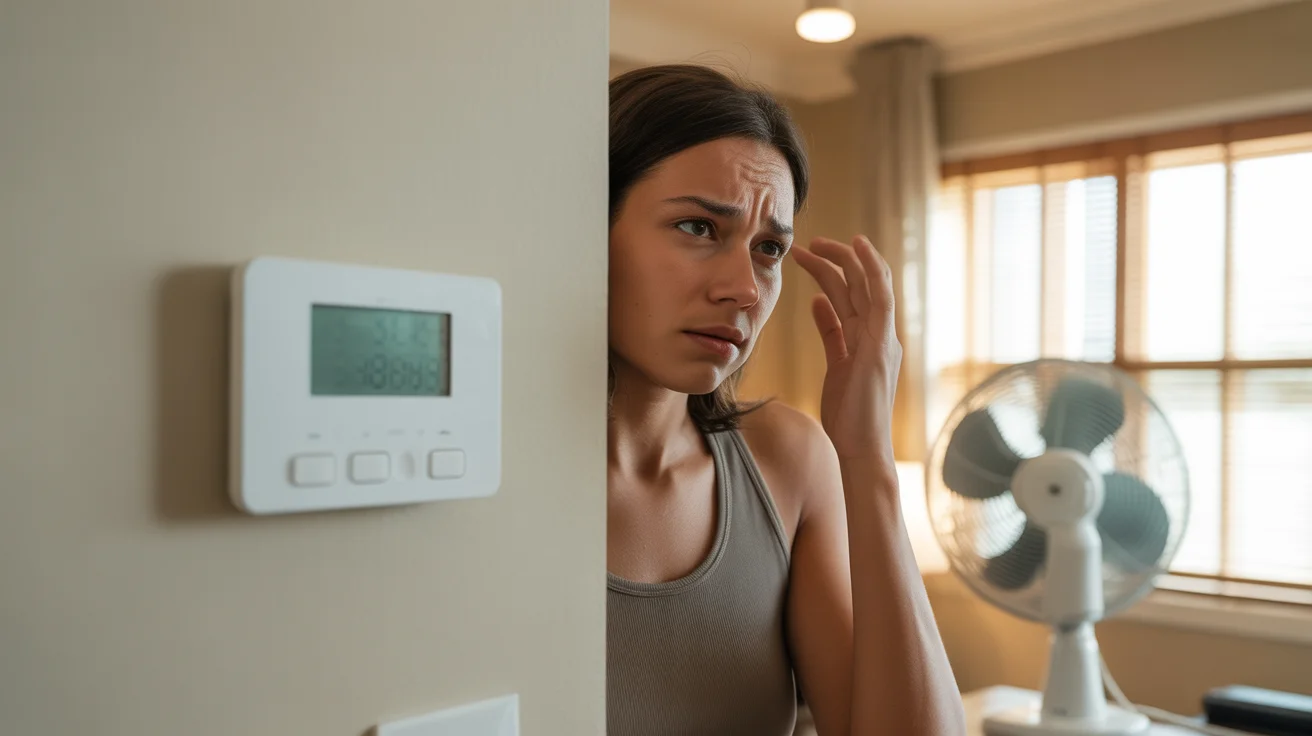
This sounds too simple, but I can’t count how many times I’ve driven to a house in Frisco or Plano only to find the thermostat set to HEAT instead of COOL. It happens. Somebody bumps it, a kid plays with it, the power flickers and resets it.
What to look for:
- Mode is set to COOL (not Heat, not Off, not Fan Only)
- Temperature is set at least 5 degrees below the current room temperature
- The display is actually on (if it’s blank, see the next step)
- Fan is set to AUTO (not OFF)
If you have a programmable or smart thermostat, check whether a schedule override is active. I’ve seen Nest and Ecobee thermostats go into “eco mode” or “away mode” and refuse to kick on the AC because they think nobody’s home.
Quick fix: Set the thermostat to COOL, drop the temperature to 65, and wait 3 to 5 minutes. If the system clicks on, your settings were the problem. Set it back to your preferred temperature and you’re done.
2. Replace Dead Thermostat Batteries (2 Minutes)
If your thermostat screen is completely blank, batteries are the most likely cause. Most thermostats use AA or AAA batteries, and they die without warning. No display means no signal to your AC system, which means your ac unit not starting is actually a thermostat problem.
How to check:
- Pull the thermostat off the wall plate (most slide up or pull straight out)
- Look for a battery compartment on the back
- Replace with fresh batteries
- Reattach and wait 30 seconds for it to boot up
Some thermostats are hardwired with no batteries. If yours has no battery compartment and the screen is blank, you may have a blown fuse on the air handler or a tripped breaker (check #3 below).
One thing I see in newer Allen and McKinney homes: builders install thermostats with both hardwired power and a battery backup. The battery backup keeps the display running but sometimes doesn’t send the cooling signal properly. If your display is dim or flickering, swap the batteries even if the screen isn’t fully dead.
3. Check Your Circuit Breakers (2 Minutes)
Your AC system uses two breakers, and most homeowners don’t realize this. One breaker powers the indoor air handler (or furnace blower), and a separate breaker powers the outside AC unit. If either one trips, your system won’t cool.
What to do:
- Open your electrical panel
- Find the breakers labeled “AC,” “Air Handler,” “Condenser,” or “HVAC” (they’re usually 20 to 60 amp double breakers)
- Look for breakers sitting in the middle position (not fully ON, not fully OFF). That’s a tripped breaker.
- Flip the tripped breaker fully to OFF, then back to ON
Important: If the breaker trips again within a few minutes, stop. Do not keep resetting it. A breaker that keeps tripping means there’s an electrical fault (bad capacitor, shorted wire, or a failing compressor motor), and resetting it repeatedly can cause a fire or damage your equipment. That’s when you call a professional for AC repair.
I see tripped breakers constantly during North Texas summers. When it’s 105°F outside for days in a row, your AC is pulling maximum amperage for hours on end. Older breakers get weak and trip even when nothing is actually wrong with the system. If this keeps happening, an electrician may need to replace the breaker itself.
4. Look for the Outdoor Disconnect Switch (1 Minute)
Every outside AC unit has a disconnect box mounted on the wall near it. It’s a gray or beige metal box, usually within a few feet of the condenser. Inside, there’s either a pull-out handle or a breaker switch.
This switch gets turned off more often than you’d think. Lawn crews bump it. Painters flip it off and forget to flip it back on. Pest control techs sometimes kill it while spraying around the unit.
What to do:
- Walk to your outdoor unit
- Find the disconnect box on the wall nearby
- Open it and make sure the switch is in the ON position (or that the pull-out handle is pushed in)
If the outside ac unit not turning on was caused by a flipped disconnect, you’ll hear the compressor kick on within a few minutes after restoring power.
5. Inspect Your Air Filter (3 Minutes)
A completely clogged air filter can shut your system down. Here’s why: when the filter blocks too much airflow, the evaporator coil gets too cold and freezes over. Once ice builds up, the system’s safety controls shut everything off to prevent compressor damage.
How to check:
- Find your return air vent (the large vent, usually in a hallway, closet, or near the air handler)
- Pull out the filter
- Hold it up to light. If you can’t see any light through it, it’s too dirty.
In North Texas, especially during spring pollen season and summer dust storms, filters can go from clean to completely blocked in 3 to 4 weeks. I recommend checking your filter every 30 days from March through October.
If your filter is clogged and the system is frozen: Replace the filter, turn the system to FAN ONLY (not cool) for 2 to 3 hours to let the ice melt, then switch back to COOL. If it starts cooling normally, the filter was your problem. If it freezes again, you likely have a refrigerant issue and need a tech.
6. Check the Condensate Drain Line (5 Minutes)
This is the one most people skip, and it’s one of the most common reasons for an ac won’t turn on situation in humid climates. Your AC produces water as it cools (condensation), and that water drains out through a PVC pipe, usually a 3/4-inch white pipe near your outdoor unit or into a floor drain.
When that drain line clogs up with algae, mold, or debris, the drain pan fills up and triggers a safety float switch that shuts the entire system off. The AC is actually protecting itself from flooding your ceiling or closet.
What to do:
- Find the condensate drain line exit point (outside near the unit, or at a floor drain)
- Look for water dripping. If there’s no drip at all when the system should be running, the line is probably clogged.
- If you have a wet/dry vacuum, put it over the end of the drain pipe outside and run it for 30 seconds to suck out the clog
- Pour a cup of white vinegar into the drain access point (usually a T-shaped fitting near the air handler) to kill algae
North Texas humidity makes this a year-round problem, but it’s worst from May through September. I tell my customers in Prosper and The Colony to pour vinegar down the drain line once a month during cooling season. It takes 30 seconds and prevents a $150 service call.
7. Look for Ice on the System (2 Minutes)
If your air conditioner not working is actually running but producing no cold air, or if it ran for a while and then just stopped, check for ice. Ice can form on the indoor evaporator coil, on the refrigerant lines (the copper pipes running from your indoor unit to the outdoor unit), or even on the outdoor unit itself.
Where to look:
- Open the air handler panel and look at the evaporator coil (the A-shaped metal fins above the furnace)
- Check the copper refrigerant lines, especially the larger insulated one (the suction line)
- Look at the outdoor unit for frost on the copper connections
If you see ice anywhere, turn the system OFF immediately. Running an AC with ice on it can destroy the compressor, which is a $1,500 to $3,000 repair. Switch the system to FAN ONLY to let the ice melt (this can take 2 to 4 hours), then try cooling again.
Ice usually means one of three things: a dirty filter (check #5), low refrigerant from a leak, or a failing blower motor. If you’ve already replaced the filter and the system freezes again, call for AC repair service. You can read more about what repairs cost in my AC repair cost guide.
8. Listen to Your Outdoor Unit (2 Minutes)
Walk outside and stand near the condenser while someone inside sets the thermostat to call for cooling (set it 5 degrees below room temp). What you hear tells you a lot about what’s wrong.
What the sounds mean:
| What You Hear | What It Likely Means | Can You Fix It? |
|---|---|---|
| Complete silence | No power, bad contactor, or failed capacitor | Check breakers (#3) and disconnect (#4). If those are fine, call a tech. |
| Humming but fan not spinning | Bad capacitor or seized fan motor | No. This needs a tech. ($150 to $400 repair) |
| Clicking at the thermostat but nothing outside | Thermostat sending signal, but outdoor unit has no power or bad contactor | Check outdoor breaker and disconnect. If power is on, call a tech. |
| Buzzing or rattling | Loose parts, debris in unit, or electrical issue | Clear visible debris. If buzzing continues, call a tech. |
| Normal startup, then shuts off after a few minutes | System short-cycling, often from overheating, low refrigerant, or bad capacitor | Turn it off and call a tech. Short-cycling causes compressor damage. |
If your outdoor unit hums but the fan won’t spin, that’s almost always a bad capacitor. Capacitors are the number one failure point in North Texas AC systems because sustained heat above 100°F degrades them fast. A capacitor rated for 8 years might last 3 years here. The good news: it’s one of the cheapest repairs at $150 to $350 including parts and labor.
When to Skip the Checklist and Call Right Away
Not every situation is a DIY diagnosis. Call for emergency AC repair immediately if:
- You smell burning or electrical odors near the indoor or outdoor unit
- You see sparks or scorch marks on any component
- The breaker trips repeatedly after resetting
- You have elderly family members, infants, or anyone with medical conditions and indoor temps are above 85°F
- Your system is making loud banging or grinding noises (this can indicate a broken part inside the compressor)
In North Texas summers, a house without AC can reach dangerous temperatures within 2 to 3 hours. If you’re dealing with a heat emergency, don’t troubleshoot. Call (940) 390-5676 and I’ll have someone at your door within 2 hours.
What If None of These Fixes Worked?
You’ve checked all 8 items and your ac won’t kick on. Now what?
First, the good news: you’ve already ruled out the simple stuff, which means when the tech arrives, they can skip the basics and go straight to the real problem. That saves you time and money on the diagnostic.
The most common “real” problems I find after homeowners have done this checklist:
- Failed capacitor ($150 to $350): The most common part failure in North Texas. The outdoor unit hums but doesn’t start.
- Bad contactor ($200 to $400): The relay switch that turns the outdoor unit on and off. It wears out from the constant on/off cycling during hot summers.
- Blown control board fuse ($150 to $250): A small fuse on the furnace control board blows and kills the whole system. Quick fix once diagnosed.
- Faulty thermostat wiring ($100 to $300): Wires corrode or come loose over time, especially in attics where temperatures can hit 150°F.
- Low refrigerant ($300 to $1,500): If the system runs but doesn’t cool, a refrigerant leak is likely. Price depends on the type of refrigerant and size of the leak.
For a full breakdown of what these repairs cost in our area, check out my complete AC repair cost guide for North Texas.
FAQ
Why did my AC stop working suddenly?
The most common cause of a sudden AC failure in North Texas is a blown capacitor. Capacitors store the electrical charge that starts your compressor and fan motors. When outside temperatures stay above 100°F for multiple days, capacitors degrade rapidly and can fail without warning. Other common causes include tripped breakers, clogged drain lines triggering the safety shutoff, and thermostat malfunctions.
Can a clogged filter really stop my AC from turning on?
Yes. A severely clogged filter restricts airflow so much that the evaporator coil freezes over. Once ice builds up on the coil, the system’s low-pressure safety switch shuts down the compressor to prevent damage. This is why I recommend North Texas homeowners check their filters every 30 days during cooling season (March through October), not the 90-day interval printed on the filter packaging.
My outside AC unit is not turning on but the inside unit runs fine. What’s wrong?
This usually points to a problem isolated to the outdoor condenser unit. The three most likely causes are: a tripped outdoor breaker (separate from the indoor unit’s breaker), a flipped disconnect switch near the outdoor unit, or a failed capacitor. Check the breaker and disconnect first. If both have power and the unit still won’t start, a failed capacitor or contactor is the most probable cause, and that requires a technician.
Is it safe to keep resetting a tripped AC breaker?
No. If the breaker trips once, reset it and see if it holds. If it trips again, something is causing an electrical overload or short circuit in the system. Repeatedly resetting a tripping breaker can cause wire overheating, electrical fires, or damage to your compressor. Call a licensed HVAC technician to diagnose the underlying electrical issue before resetting it again.
How long should I wait after turning on my AC before worrying?
After setting the thermostat to call for cooling, a functioning system should respond within 1 to 5 minutes. You should hear the indoor blower start, followed by the outdoor unit kicking on shortly after. If nothing happens after 5 minutes, something is wrong. If the system starts but the air coming from the vents isn’t noticeably cooler within 15 minutes, there may be a refrigerant or airflow problem.
Should I try to fix a humming AC unit myself?
No. A humming outdoor unit with a non-spinning fan almost always means a failed capacitor or seized fan motor. Capacitors store dangerous electrical charges even after the power is turned off. Unless you have electrical training, do not open the outdoor unit’s access panel or attempt to jump-start the fan. This is a quick, inexpensive repair ($150 to $400) for a licensed tech who has the right tools and safety equipment.
Your AC still won’t turn on after checking everything on this list? Give me a call at (940) 390-5676. I serve homeowners across Frisco, Plano, McKinney, Allen, Prosper, The Colony, Little Elm, and Addison. I’ll get you back to cool air fast, and the $89 diagnostic fee gets waived if you go ahead with the repair.
Need Professional HVAC Service?
Our certified technicians are ready to help with any HVAC needs in North Texas